
Social networks are always great for communicative people; they make you
closer to your friends, relatives and hackers. Social networks are very
attractive for such kind of people. You can ask me: “Why do they need
that?” All they need is your account. The fraud schemes may be
different. But the main aim of them is money. They can ask your
relatives for help, especially when you’re far away. Why shouldn’t they
believe their own child, when he needs money?
Fraudsters do not disdain playing on the heartstrings. They can write everything, that there’s an accident, you’re in a hospital, etc. So today we’ll study to confront fraudsters and keep our nerves and money safe.
Consequences

The second thing is the photos. When you’re downloading images and
photos on social networks not only your friends like them. It’s also the
perfect resource for burglars. From home-made photos, they can receive
information about your welfare and house structure. When you have a dog,
the robber will be prepared, because everyone has photos with their
home pets. That’s why we earnestly advise you not to put in the Internet
photos of your house, and some things that can attract robbers, for
instance your new car or a brilliant ring.
Advice
The next our advice – create a complicated password. We’ve just
discussed what fraudsters can do with the access to your account, so try
to protect yourself, your friends, and relatives as good as you can.
Don’t make a password consisting of just your birth date. Remember, that
it’s the first combination fraudsters try. Also, don’t put your birth
date as the answer to the test question if it’s mail. Check out below
article on password cracking.
- 6 Most Common Password Cracking Methods And Their Countermeasures
Let us imagine that you have a complicated password, you don’t download
the “rob-attractive” photos and one day you receive the link from your
friend where he asks you to vote for him. Stop now. This can be a trap.
If you’ll link, the fraudsters receive your personal data, such as login
and password. Such scheme is called “fishing”. So, in this case,
ask your friend something personal. The other variant is just to make
him a call and ask about this. If you’ll receive the answer like “What
are you talking about?” you should explain him that he was hacked and
offer to change the password. Check out below tutorial to know about
popular hacking method used to acquire sensitive information about
oneself.
- What Is Phishing And How To Be Safe From Phishing ?
source:coolhackingtrick
Hello Friends Today I am posting on one of the interesting topic that is
making your pc talk .yes it is possible you can make your pc speech
recognizable like you have seen in some Hollywood movie like iron
man,chitti form Robort Movie(Rajnikant :D).Here is a brief tutorial that
will explain you in details.
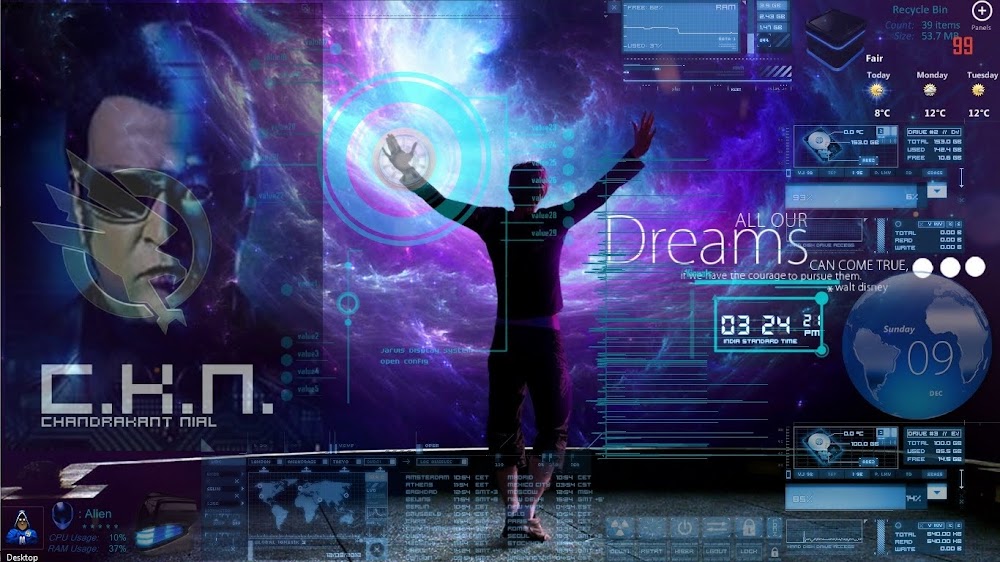
In Iron Man Movie It was the jarvis Operating which helps Iron Man in completing any computer related task that he wants to perform with voice recognition support-ability.Jarvis is totally based on Artificial intelligence aka Artificial Brain. Eventually, we can't have such a huge artificial brain r8 now with us bust we can have a start to this project and believe me you will enjoy it a lot .
Let Me demonstrate you few examples:
Give a Name to your Computer Like "Jarvis" and when you'll say "Jarvis" it will reply "Hello sir" or "Hello Mr. (Your Name)".
or
You : Who are you ??
Computer : I'm chitti The robo Speed, 1 terahertz, memory, one zettabyte
(Just Like Rajnikanth's Moive "robot", (Enthiran) in Tamil.)
Example 2 :
YOU: Good Morning Jarvis !
COMPUTER : Good Morning Mr. Stark ! how are you Today !
So, Little wondering how these things going to work out ? Here you can transform your wondering into reality. Follow these codes :
Example 1 :
Example 1 :
<listenFor>Jarvis</listenFor>
<speak>Hello Mr. STark</speak>
</command>
</speechMacros>
Example 2 :
<listenFor>Good Morning Jarvis</listenFor>
<speak>Good Morning Sir. how are you today</speak>
</command>
</speechMacros>
Further, more you can use these lines of codes for Shutting down Computer :
<speechMacros>
<command>
<listenFor>Nuke it</listenFor>
<speak>Restarting Windows</speak>
<run command="C:\Windows\System32\shutdown.exe"/>
</command>
</speechMacros>
To make it more intresting and realastic you need a bit knwoledge of VB.NET
here is one example
<speechMacros>
<command>
<listenFor>Time</listenFor>
<listenFor>Give me the Time</listenFor>
<listenFor>What is the time</listenFor>
<listenFor>Tell me the time</listenFor>
<listenFor>What time is it</listenFor>
<script language="vbscript">
<![CDATA[
dim currentTime
currentTime = FormatDateTime(Time(), 1)
Application.Speak Time
Application.SetTextFeedback Time
]]>
</script>
</command>
now i have ms exel work then..
<command priority="100">
<listenFor>insert row above</listenFor>
<sendKeys>{ALT}jla</sendKeys>
</command>
<command priority="100">
<listenFor>insert row below</listenFor>
<sendKeys>{ALT}jle</sendKeys>
</command>
<command priority="100">
<listenFor>insert column before</listenFor>
<sendKeys>{ALT}jll</sendKeys>
</command>
<command priority="100">
<listenFor>insert column after</listenFor>
<sendKeys>{ALT}jlr</sendKeys>
</command>
<command priority="100">
<listenFor>merge cells</listenFor>
<sendKeys>{ALT}jlm</sendKeys>
</command>
<command priority="100">
<listenFor>split table</listenFor>
<sendKeys>{ALT}jlq</sendKeys>
</command>
<command priority="100">
<listenFor>delte row</listenFor>
<listenFor>delte rows</listenFor>
<sendKeys>{ALT}jdr</sendKeys>
</command>
<command priority="100">
<listenFor>delete column</listenFor>
<listenFor>delete columns</listenFor>
<sendKeys>{ALT}jdc</sendKeys>
</command>
<command priority="100">
<listenFor>?show table properties</listenFor>
<sendKeys>{ALT}jdo</sendKeys>
</command>
<command priority="100">
<listenFor>?show ?hide table gridlines</listenFor>
<sendKeys>{ALT}jltg</sendKeys>
</command>
Things you need -
A microphone or internal Microphone
windows 7 and windows speech macros, download it from here
install it then make Macros to start work
Now open notepad and paste code in notepad
for example
<listenFor>Jarvis</listenFor>
<speak>Hello Mr. STark</speak>
</command>
</speechMacros>
paste it and save as filename.WSRMac
.WSRMac extention is must for it,
then Goto your WSRMac file and click on
Now click on "import signing Cerificate" and automaticly it will save a digital signature for it.See Image Below.
 Now Open Speech recognition And Say Your Command.

In Iron Man Movie It was the jarvis Operating which helps Iron Man in completing any computer related task that he wants to perform with voice recognition support-ability.Jarvis is totally based on Artificial intelligence aka Artificial Brain. Eventually, we can't have such a huge artificial brain r8 now with us bust we can have a start to this project and believe me you will enjoy it a lot .
Let Me demonstrate you few examples:
or
You : Who are you ??
Computer : I'm chitti The robo Speed, 1 terahertz, memory, one zettabyte
(Just Like Rajnikanth's Moive "robot", (Enthiran) in Tamil.)
Example 2 :
YOU: Good Morning Jarvis !
COMPUTER : Good Morning Mr. Stark ! how are you Today !
So, Little wondering how these things going to work out ? Here you can transform your wondering into reality. Follow these codes :
Example 1 :
Example 1 :
<listenFor>Jarvis</listenFor>
<speak>Hello Mr. STark</speak>
</command>
</speechMacros>
Example 2 :
<listenFor>Good Morning Jarvis</listenFor>
<speak>Good Morning Sir. how are you today</speak>
</command>
</speechMacros>
Further, more you can use these lines of codes for Shutting down Computer :
<speechMacros>
<command>
<listenFor>Nuke it</listenFor>
<speak>Restarting Windows</speak>
<run command="C:\Windows\System32\shutdown.exe"/>
</command>
</speechMacros>
To make it more intresting and realastic you need a bit knwoledge of VB.NET
here is one example
<speechMacros>
<command>
<listenFor>Time</listenFor>
<listenFor>Give me the Time</listenFor>
<listenFor>What is the time</listenFor>
<listenFor>Tell me the time</listenFor>
<listenFor>What time is it</listenFor>
<script language="vbscript">
<![CDATA[
dim currentTime
currentTime = FormatDateTime(Time(), 1)
Application.Speak Time
Application.SetTextFeedback Time
]]>
</script>
</command>
now i have ms exel work then..
<command priority="100">
<listenFor>insert row above</listenFor>
<sendKeys>{ALT}jla</sendKeys>
</command>
<command priority="100">
<listenFor>insert row below</listenFor>
<sendKeys>{ALT}jle</sendKeys>
</command>
<command priority="100">
<listenFor>insert column before</listenFor>
<sendKeys>{ALT}jll</sendKeys>
</command>
<command priority="100">
<listenFor>insert column after</listenFor>
<sendKeys>{ALT}jlr</sendKeys>
</command>
<command priority="100">
<listenFor>merge cells</listenFor>
<sendKeys>{ALT}jlm</sendKeys>
</command>
<command priority="100">
<listenFor>split table</listenFor>
<sendKeys>{ALT}jlq</sendKeys>
</command>
<command priority="100">
<listenFor>delte row</listenFor>
<listenFor>delte rows</listenFor>
<sendKeys>{ALT}jdr</sendKeys>
</command>
<command priority="100">
<listenFor>delete column</listenFor>
<listenFor>delete columns</listenFor>
<sendKeys>{ALT}jdc</sendKeys>
</command>
<command priority="100">
<listenFor>?show table properties</listenFor>
<sendKeys>{ALT}jdo</sendKeys>
</command>
<command priority="100">
<listenFor>?show ?hide table gridlines</listenFor>
<sendKeys>{ALT}jltg</sendKeys>
</command>
Track chnages in Music
<command priority="100">
<listenFor>next change</listenFor>
<sendKeys>{ALT}rh</sendKeys>
</command>
<command priority="100">
<listenFor>accept change</listenFor>
<sendKeys>{ALT}rac</sendKeys>
</command>
To click
<command priority="100">
<listenFor>?mouse click</listenFor> <mouse button="left" command="click" />
</command>
if you need codes of any command leave comment below, and i will try to give you source codes.
if you need codes of any command leave comment below, and i will try to give you source codes.
How To Make These Command Working
A microphone or internal Microphone
windows 7 and windows speech macros, download it from here
install it then make Macros to start work
<listenFor>Jarvis</listenFor>
<speak>Hello Mr. STark</speak>
</command>
</speechMacros>
paste it and save as filename.WSRMac
.WSRMac extention is must for it,
then Goto your WSRMac file and click on
Now click on "import signing Cerificate" and automaticly it will save a digital signature for it.See Image Below.


Enjoy Talking to your Computer ! :D
Hi friends,
Today I am going to tell a new trick to test your TV remote is working or not working using your mobile.

Suppose you are going to buy a new remote then you can not take Tv with you so if you want to check the remote is working or not working then just follow these steps
STEP 1. - First of all open CAMERA of your mobile.
STEP 2. - Focus the Remote's IR-LED(Infra Red Light Emitting Diode) toward the camera of your mobile
STEP 3. - Press any key of the remote.
Now Here are two things to be noted
*. if a light will appear in your phone screen then your Tv remote is working
*. if a light will not appear in your phone screen then your Tv remote is not working
Today I am going to tell a new trick to test your TV remote is working or not working using your mobile.
Suppose you are going to buy a new remote then you can not take Tv with you so if you want to check the remote is working or not working then just follow these steps
STEP 1. - First of all open CAMERA of your mobile.
STEP 2. - Focus the Remote's IR-LED(Infra Red Light Emitting Diode) toward the camera of your mobile
STEP 3. - Press any key of the remote.
Now Here are two things to be noted
*. if a light will appear in your phone screen then your Tv remote is working
*. if a light will not appear in your phone screen then your Tv remote is not working
" ENJOY AND WAIT FOR THE NEXT "
source Warning: This is only for EDUCATIONAL purposes to make you aware of how your FACEBOOK account may get HACKED so that you may PREVENT it from getting hacked,,,,!!!
Hey there,,,!!! Many of them have been reuesting me to post about FACEBOOK HACKING,,,!!! Well here it is for you,,,!!!
Authentication Cookies used by Facebook :
The cookie which facebook uses to authenticate it's users is called "Datr", If an attacker can get hold of your authentication cookies, All he needs to do is to inject those cookies in his browser and he will gain access to your account. This is how a facebook authentication cookie looks like:datr=1276721606-b7f94f977295759399293c5b0767618dc02111ede159a827030fc;
An attacker may use variety of methods in order to steal your facebook authentication cookies depending upon the network he is on, If an attacker is on a hub based network he would just sniff traffic with any ***Packet Sniffer*** and gain access to victims account.
If an attacker is on a Switch based network he would use an ***ARP Poisoning*** request to capture authentication cookies, If an attacker is on a wireless network he uses a tool called ***FIRESHEEP*** in order to capture authentication cookie and gain access to victims account.
Here in the example below I will be explaining in simple STEPS how an attacker can capture your authentication cookies and hack into your Facebook account with ***Wireshark***.
Step 1 - First of all download wireshark from the official website and install it.
Step 2 - Next open up wireshark click on analyze and then click on interfaces.
Step 3 - Next choose the appropriate interface and click on start.
Step 1 - First of all download wireshark from the official website and install it.
Step 2 - Next open up wireshark click on analyze and then click on interfaces.
Step 3 - Next choose the appropriate interface and click on start.

Step 4 - Continue sniffing for around 10 minutes.
Step 5 - After 10minutes stop the packet sniffing by going to the capture menu and clicking on Stop.

Step 6 - Next set the filter to http.cookie contains “datr” at top left, This filter will search for all the http cookies with the name datr, And datr as we know is the name of the facebook authentication cookie.
Step 7 - Next right click on it and goto Copy - Bytes - Printable Text only.
Step 7 - Next right click on it and goto Copy - Bytes - Printable Text only.

Step 8 - Next you’ll want to open up firefox. You’ll need both Greasemonkey and the cookieinjector script. Now open up Facebook.com and make sure that you are not logged in.
Step 9- Press Alt C to bring up the cookie injector, Simply paste in the cookie value into it.

Step 10 - Now refresh your page and
*******BINGO***********************You are logged in to the victims facebook account.***************
Now comes the important part,,,,,!!!
HOW TO PROTECT YOUR ACCOUNT ??
Well, the best way to protect yourself against a session hijacking attack is to use " https:// " connection each and every time you login to any of your accounts in Facebook, Gmail, Yahoo or any other email account. As your cookies would be encrypted so even if an attacker manages to capture your session cookies he won't be able to do any thing with your cookies. Also avoid using unwanted apps that you use in FACEBOOK. Keep changing your password freequently. Use tough passwords which are hard to guess with a combination of uppercase and lowercase characters with symbols in between to make the password very strong.
Hope you ENJOYED this post,,,!!! Please do bookmark and share if you liked this post,,,!!! Cheers,,,,!!!
Follow these steps to see the remembered Passwords:

- click the "Tools" menu in menu bar.
- Select Options
- It will open a small window
- Select the "security" tab in that small window
- You can view "saved Passwords" button

- Click that button.
- It will another small window
- There will be list of sites with usernames
- Select One site and click the "show Password"
- It will clearly show you the password.

To create locker folder
1.Open notepad
2.copy paste below code
3.Save as this file with extension ".bat" [ example : secret.bat ]
4.Double click on this file-It will create a folder named "Locker"
5.Save all secret files on this folder "Locker"
Lock this folder
6.Now again double click on bat file,then system will ask whether you need to lock or not type "y" and enter
7.Now folder "Locker" is disappeared :)
To unlock folder
8.Double click on ".bat" file
9.Enter your password and press on enter button
[default password is 12345 , you can edit this in code below -code line no.21
10.Folder "Locker" is visible now
Code :
cls@ECHO OFFtitle Folder Locker
if EXIST "Control Panel.{21EC2020-3AEA-1069-A2DD-08002B30309D}" goto UNLOCK
if NOT EXIST Locker goto MDLOCKER
:CONFIRM
echo Are you sure u want to Lock the folder(Y/N)
set/p "cho=>"
if %cho%==Y goto LOCK
if %cho%==y goto LOCK
if %cho%==n goto END
if %cho%==N goto END
echo Invalid choice.
goto CONFIRM
:LOCK
ren Locker "Control Panel.{21EC2020-3AEA-1069-A2DD-08002B30309D}"
attrib +h +s "Control Panel.{21EC2020-3AEA-1069-A2DD-08002B30309D}"
echo Folder locked
goto End
:UNLOCK
echo Enter password to Unlock folder
set/p "pass=>"
if NOT %pass%==12345 goto FAIL
attrib -h -s "Control Panel.{21EC2020-3AEA-1069-A2DD-08002B30309D}"
ren "Control Panel.{21EC2020-3AEA-1069-A2DD-08002B30309D}" Locker
echo Folder Unlocked successfully
goto End
:FAIL
echo Invalid password
goto end
:MDLOCKER
md Locker
echo Locker created successfully
goto End
:End
How To Secure Your Facebook Account:
- Always Use Facebook In https mode:
The first and fore most thing you have to do is that turn on secure browsing in your Facebook account by changing http mode to https mode.To read about http and https check article Difference between http and https. To enable secure browsing in your Facebook account just head to Account settings from drop down menu and then go to Security tab at left side and enable Secure Browsing from the top option.
- Use a Strong Password:
We all know that we should use a strong password online in any service to stay safe, more the password is strong more it is secure but we do not use strong password because we are too lazy and such password is also hard to remember also. We the humans generally awake by our first mistake only and by facing the consequences of our mistakes. So, to avoid any future harm always use mixture of characters, symbols, numbers and special symbols in your Facebook or any other online service password. Never use the same password for two or more online services. Avoid using of your personal info, dictionary words, repeated characters in your password.
- Enable Text & Email Notification:
This is the second most important step to Secure Facebook. By enabling this option you will get notification when a new user logs in to your account from any PC OR mobile that haven’t used before through SMS on your registered mobile and email id, you have added to your Facebook account. That’s why Facebook confirms the device when you log in to your account and you can add that device/PC to authorized device by just saving it. So, always save your Home computer or your personal mob Not the PC in cafe because if someone try to hack your account then you will not notified about it. It’s the second option in the Security tabjust after the Secure Browsing just enable both Text and Email.
- Remove Unwanted Application:
The third most important step to remove unwanted applications from your Facebook profile. People are gone crazy behind these SPAM applications like Your Nick name, whom you married, when you will die , who views your profile blah blah. Let me tell you one thing, these applications are not authenticated by Facebook, if any application is authenticated then Facebook officially launches that for users and these are spam applications that steals personal data from users profile and use them in many surveys etc. A hacker can easily hack your account by sending requests from these type of applications to use your personal info such as email id etc. and can hack your account. So, better to remove all unwanted applications by going to Account settings –>Apps tab in left sidebar and hit the ‘X’ button and confirm to remove. So, remove those that are of no use to you from there.
- Use Facebook Privacy:
Many online spammers already targeted Facebook to harvest your personal information. So it is better to Read first Facebook Privacy Guidelines and according to your preferences adjust your privacy setting to protect from online theft and also secure your Facebook account. And before leaving privacy settings after changing your Facebook privacy don’t forget to check How your profile look to others to By checking in View Profile As and entering your any Facebook friend name to confirm you not omitted any mistake in setting privacy. In new Facebook timeline, you can get this by clicking the gear menu after Update Info in your profile. You can also like Facebook Privacy to get latest updates from them. Read Controlling information on New Facebook Timeline to get an idea to keep privacy on new timeline.

- Never And Ever Click On External link:
Never click on the external link that is being sent to you by anyone may be the source reputable, especially that is sent in messages like recharge you mob free, attractive offers, and the links that requires you to provide immediately log in and password to continue even you are already logged in. Even nowadays many spams are there on Facebook that automatically send links in chat like: Hey now we can video chat or something like this, many during chatting. So never ever click on these type of suspicious links from logged in your Facebook account.
- Think Before Adding Someone:
Yeah, you should think before adding someone to your Facebook profile as friend, may be he/she wants your personal information, as your personal info is hidden your generally for public and only friends can see that. So after adding he/she can easily grab your info. So, make your privacy too stronger or never add any stranger or a person whose profile looking something odd and suspicious.
- Remove Spammy links from your profile ASAP:
If any of your friends is a victim of SPAM and is posting some spammy links on your profile actually he/she is not posting them manually on your or others’ profile, but it automatically gets posted as he/she is victimized by clicking on spam links. So now, what you can do is that remove that spam links from your profile As Soon As Possible to protect your profile and others too, because they may also click on that link.
- Be sure where you are giving your Passwords:
Always make sure that you are logging in from a genuine Facebook site with the Facebook.com domain and also make sure URL starting from Https if you have enabled it. Because many phishers make site like Facebook to grab your login info. such as faecbook.com

- Never Show your Facebook Email ID On Your Profile:
This is my personal view that you shouldn’t show your Facebook Email Id from that you use to log in. Because if that id gets hacked once your Facebook account can be easily hacked, or at least never change it to Public so that everyone can see it. And Any spammers can collect it and can use it for sending SPAM emails. So, it is better to hide your email id from Facebook account. If anyone wants to contact then, they can contact by Facebook messages OR you can show any other email id instead of your Facebook id to contact you.
- Forgot to Sign Out? :
When you forget to sign out from a public computer or any device, just head to your Account Settings>>Security Tab>>Recognized Device>>Remove the particular device. Now, your account is automatically logged out.
- Keep Updated Your PC:
Always keep updated your PC, device, Antivirus to latest updates. Keep updating your Browsers, drivers too. If you don’t want to keep Windows Update On, then manually update it once a week, As keeping it on reduces the bandwidth of internet and it keeps checking the update.
- Never Share Your Security Questions:
Last but not the least, never share your security question with others because Facebook allows only one time to update them and that is during sign up to Facebook. Security questions are needed when your account gets hacked to verify theownership of the account. This tip is shared by one of our Reader, as you can see in comments. You also can suggest any tip that you know and which we may not have mentioned it in this post.
- Update your Security Information:
You Should update your Facebook security information that is helpful in the case when you lose access to your account. So go to Update Security Information, Continue with your password and add two email and one mobile if you haven’t add it yet OR review the given info if it’s correct And check whether can you access the given email id there. If not update it with other email id.

Account hacked ! What To Do?
If you think your Facebook Account got hacked, immediately report it at Secure Facebook. Or can Direct Email At privacy@facebook.com.
So, these are my tips to Secure Facebook Account, you can also like Facebook Security Page to get latest news updates, features news from them directly to your newsfeed. Hope you like them and also secure your Facebook account by following them. If you have any query related to Facebook, you can ask us, anytime. Don’t forget to Subscribe to Us below to get our more tips related to Facebook directly in your Inbox .


